
Your complimentary Threat & Vulnerability Service is on its way
From a complimentary baseline to full exposure management, get continuous visibility, prioritised remediation guidance, and board‑ready reporting.
Thank you for activating your complimentary service!
Your dashboard is being set up and will be ready in about five days.
In the meantime, we’re preparing your vulnerability scanning agent. Once everything’s live, you’ll be able to:
- Identify and monitor high-priority vulnerabilities
- Detect risks before they can be exploited
- Take action with clear, actionable insights
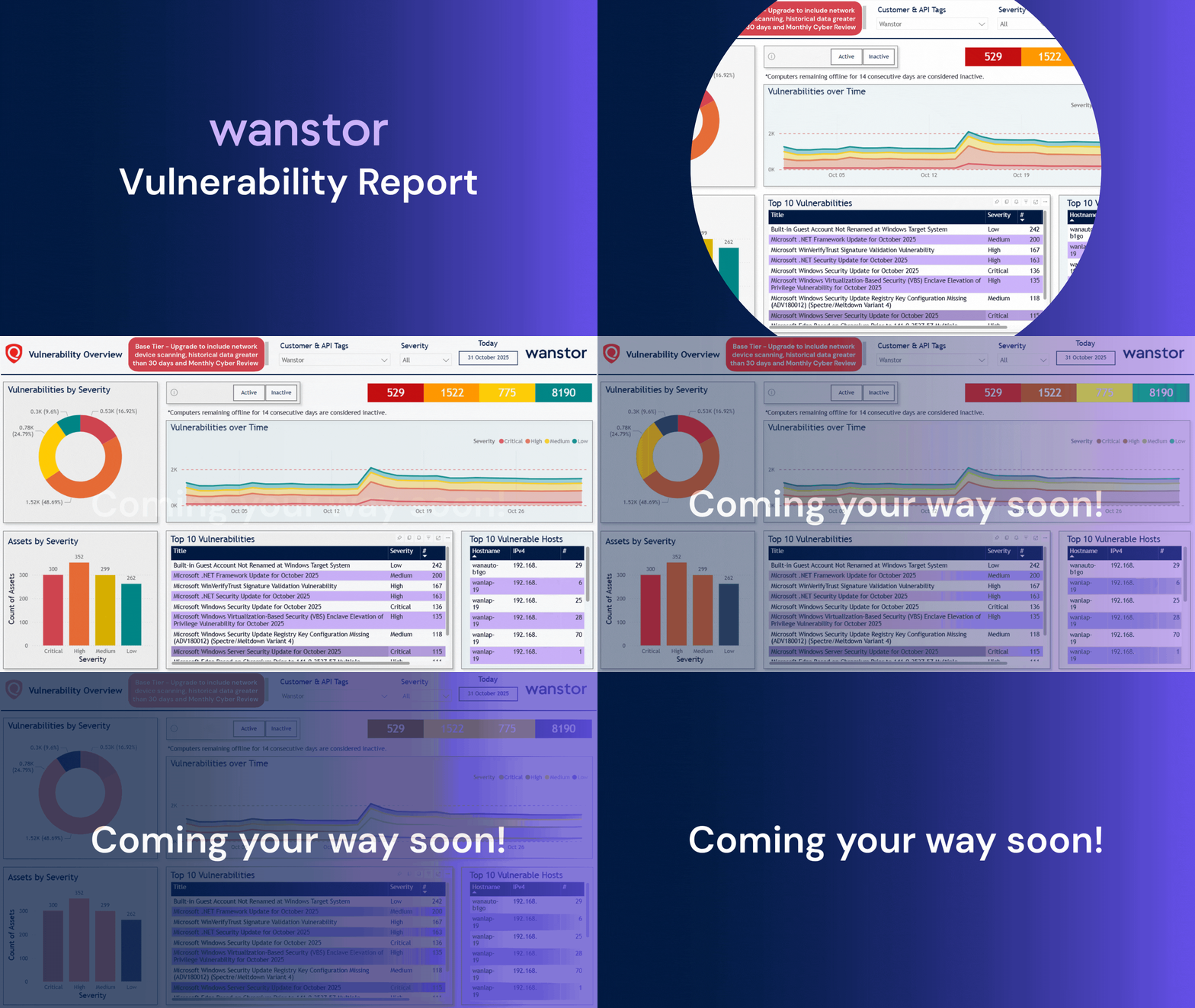
Get a sneak peek at a T&V dashboard
Curious about what your vulnerability insights will look like? Take a look below for a preview of the dashboard you’ll soon have access to:
Service Tiers
At-a-glance comparison
| Feature | Threat & Vulnerability Base | Threat & Vulnerability Management | Threat & Exposure Management |
|---|---|---|---|
| Cloud Agent | |||
| Network Scanner | |||
| Power BI dashboard reporting | Limited (30‑day trend) | ||
| Monthly meeting & report | |||
| Quarterly workshop | |||
| Cloud configuration review
(Entra/Azure, AWS, GCP, GitHub) |
Up to 3 services included | ||
| Web application scanning | Up to 5 web apps included | ||
| Compliance scans | Included (Wanstor‑managed) | ||
| Remediation days | Optional add‑on | Optional add‑on |
What you get with Threat & Vulnerability Base (complimentary for all customers)
- Lightweight agent on supported devices, updating vulnerability data regularly.
- Named security contacts get access to a dashboard with a rolling 30‑day view (severity, affected assets, and remediation guidance).
Ideal for: establishing visibility and proving value quickly before scaling to T&V or T&E.
Step up to Threat & Vulnerability Management
All Threat & Vulnerability Base capabilities plus:
- A scheduled network scanner (internal/external IPs, credentialed for full detail).
- Consolidated Power BI dashboard (hostname/IP, CVSS v3.1, CE filtering, historical trend).
- Monthly consultant review with an exportable CSV of findings and agreed actions.
Note: Network appliance running costs are separate.
Book a security review (for T&V/T&E)
Go further with Threat & Exposure Management
Everything in Threat & Vulnerability Management plus:
- Compliance scanning (CIS, NIS2‑aligned),
- Web app scanning (OWASP Top 10),
- Cloud configuration reviews across Azure/Entra, AWS, GCP, and GitHub, integrated into your central dashboard.
- Monthly Top 10 review (Compliance, Web App, Cloud) and a quarterly workshop on attack‑surface reduction.
Note: Network appliance running costs are separate.
What to expect during onboarding
We collect scope (device counts/OS, networks, targets), deploy the agent, and configure scanning. Where we don’t have access, we’ll guide your team to deploy scanners/agents. You’ll need a Power BI Pro (or equivalent) licence to view reports.
How we handle your data
All vulnerability data is stored in a Wanstor‑managed data lake with tenant isolation. Dashboard access is governed by Power BI Row‑Level Security (RLS) for granular, role‑based visibility.
Optional remediation help
Outside patching covered by our Patch Management service, we can provide Remediation Days or T&M support (where we have admin rights or you hold authority to implement changes). Priorities focus on exploitable Critical/High, cloud misconfigurations, then remaining Critical/High items.
Ready for complete peace of mind?
Your complimentary T&V Base service gives you essential visibility and actionable insights. However, if you need advanced reporting, tailored remediation plans, and ongoing expert guidance, T&V Managed and T&E Managed are the next steps.
Frequently Asked Questions
1. What is Qualys Cloud Agent and why is it used?
In short, Qualys Cloud Agent is a lightweight, always-on agent installed on endpoints, servers, or VMs. It continuously collects asset data — hardware, software, and configuration — and sends it securely to the Qualys Cloud Platform for vulnerability management. Even when devices are offline, it works and updates automatically.
2. What data does the Cloud Agent collect?
- System metadata: OS details, installed applications, configuration settings.
- Network info: Open ports, services running.
- Security posture: Vulnerabilities, missing patches, compliance status.
- Important: The agent does not scan internal files or user data; it focuses on system configuration and software versions.
3. Does it impact performance?
Generally, the agent has a very low footprint — typically under 1% CPU usage, with peaks up to 5% during scans. Memory and disk usage are minimal.
4. How does the agent communicate with Qualys?
- Outbound HTTPS (port 443) only; no inbound firewall changes required.
- Uses TLS 1.2 or later for secure communication.
- Sends differential updates to minimize bandwidth.
5. What platforms are supported?
Currently, Qualys Cloud Agent can be installed on Windows, Mac, and Linux devices.
6. How is the agent installed and activated?
You can install the agent manually, through Endpoint Central, or via Microsoft Intune. The installation is silent and does not require a device restart. Users won’t see any icons or prompts, as everything happens in the background.
7. How does the agent update?
The agent self-updates automatically when contacting Qualys platform. No manual intervention.
8. Does it work offline?
Yes. The agent continues collecting data even when offline and syncs automatically once internet connectivity is restored.
9. Privacy concerns – does it access personal data?
No. The agent does not access user files or personal content. It only collects system-level data for security and compliance purposes.
10. How often the agent scans the device?
By default, the agent scans the device every 4 hours. This ensures you always have the latest vulnerability information.